Knurl · CMMSNow shipping · 14-day trial · no card

Stop chasing
your maintenance.

Knurl is a simple, mobile-first work-order app for the team that keeps your building running. Stickers on the assets. Photo proof on every fix. Works in the basement, the freezer aisle, and the parking garage.
From
$290/yr
Per-user fee
None
Trial
14 days, no card
Setup
A sheet of stickers
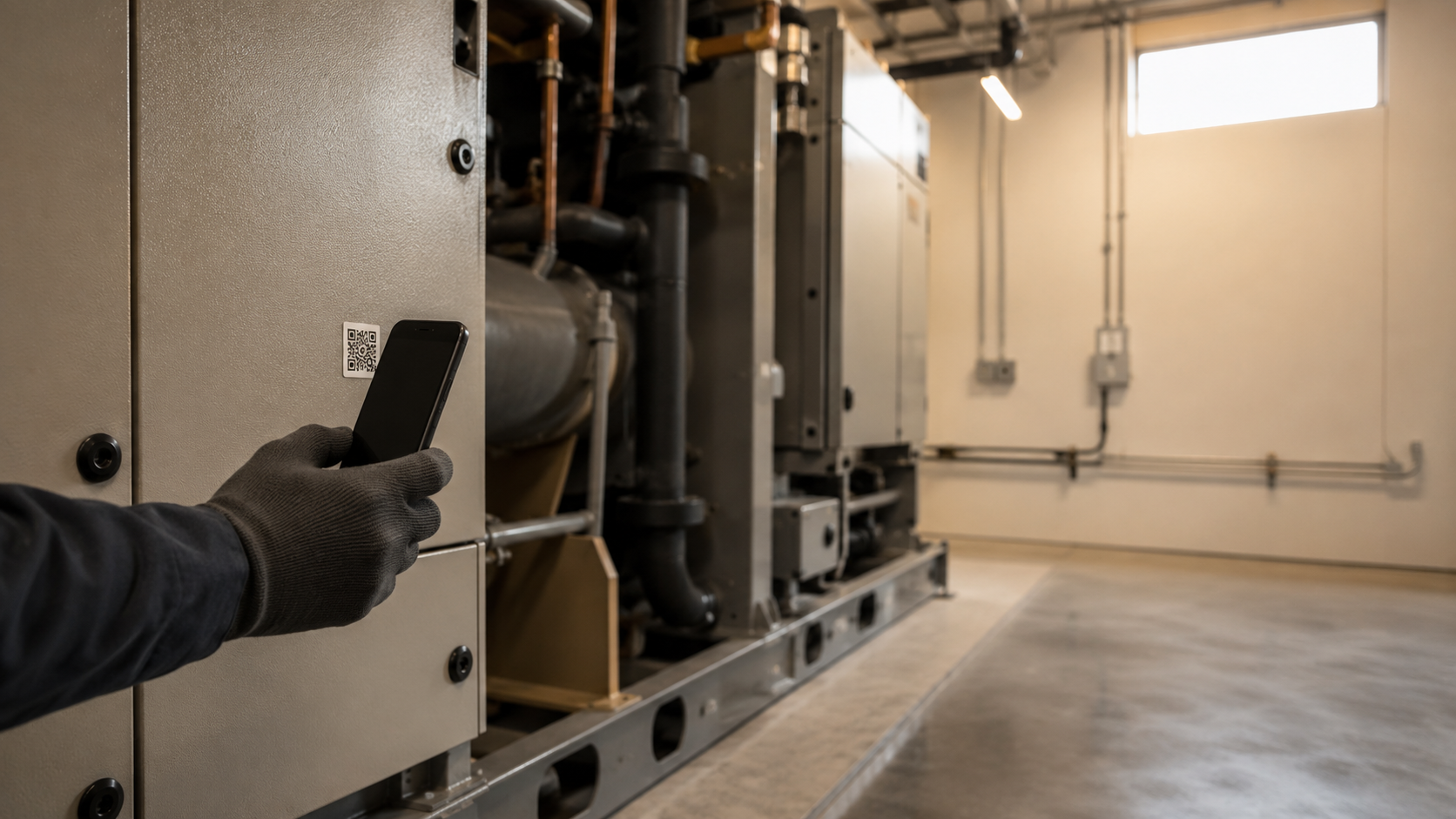
A maintenance technician's gloved hand scanning a QR sticker on a commercial mechanical cabinet in a utility room.
Tech scans a chiller QR, opens the work order, photographs the fix, marks it done. The manager sees it on the dashboard.
Why Knurl

You're caught between two bad options.

Between spreadsheets and group chat on one side, and expensive complicated software on the other, there's nothing built for a real maintenance team. Knurl is built for that middle.

Before · Group chat
“Is it fixed yet?”
Linda · GM · 9:14
Espresso group-head leaking again 🤦
Marco · Eng. · 9:17
Is this the same one from Tuesday?
Linda · GM · 9:18
I think so? Photo??
Sam · Night tech · 9:42
fixed
Linda · GM · 10:03
Did you replace the gasket?
Linda · GM · 11:20
Sam?
No timestamp. No photo. No record. Three days later — was this even fixed?
After · Knurl
“Fixed. Photo attached.”
Who, when, what. Searchable on Friday. Defensible at the next inspection.
Knurl
Priced for one facility, not one user. Works on the phone, in the basement. A printed sticker is all the hardware.
See how it works
What changes for you

Four promises. Not features.

Knurl is built on four bets most CMMS vendors get wrong. They run on every tier — from Starter to Enterprise.

The scanner is already in your pocket.

Stick a QR sticker on every asset. Scan to start a job, scan to report a fault, scan to log a service. Works on any phone — no beacons, no gateways, no RFID.

Zero hardware beyond a printed sticker

Photo proof or it didn't happen.

The app literally won't let a technician tap done without a photo. Every state transition is signed and timestamped — defensible at the next inspection, not just trusted in standup.

Append-only audit trail · every tier

Works in the freezer. Syncs when you walk out.

Full offline-first mobile app. Assets, work orders and photos cached locally. Technicians keep working through basements, freezer aisles and parking garages. When signal returns, photos sync first, then updates — never silently overwriting anyone else's work.

Idempotent sync · no data loss

Assignments arrive on WhatsApp. The work happens in Knurl.

Managers tap Invite technician — a one-time link lands on WhatsApp, OTP, done. Every assignment and approval pings the same channel. The technician opens the Knurl app for the actual scan, photo and close — but they never miss a notification because WhatsApp is where they already look.

WhatsApp + email · no per-user fee, ever
How it works

One loop. Five steps. Built for the floor.

A maintenance program is a loop — find the asset, do the work, prove it. Knurl is designed around that loop, instead of around report-builders and module trees.

App installed: the work order opens straight away. Plain camera: a public asset page with a link to download the app.
01
QR sticker
Stick it. Forget it.

Each asset gets a QR sticker generated inside the app. Print, stick, scan. No special scanner; the phone camera is the reader.

02
Scan
Point the camera.

Your team uses the Knurl app. Anyone else with a plain camera just gets a public asset page with a link to download the app.

03
Work order
Start or report.

Open the assigned work order. Or raise a new issue against the asset — managers triage it from the dashboard.

04
Photo proof
Can’t tap done without it.

The app won’t let a job be marked done without at least one photo. Proof of work is built in, not optional.

05
Sync
When the bars come back.

Everything done offline syncs automatically as soon as the phone is back online — photos first, then the updates. No work gets lost; no edit is silently overwritten.

Every change is logged: who did it, when, why. Nothing is overwritten or quietly edited.
What managers see

The command surface, not another feature list.

Four screens cover 95% of a manager’s week in Knurl. Home — is anything on fire? Work orders — triage and assign. Each order — a signed audit trail. Analytics — what the week actually looked like.

Home — “Nothing on fire. 7 open.”
Work orders — triage, assign, review.
Each order — every step, signed, never overwritten.
Analytics — projections over the event log.
Screens from a real seeded demo facility· Same UI you get on day 1
Your first week

Setup is not a six-week project.

The most common worry we hear: “can I actually get this running?” Here’s exactly what your first five days look like. No consultant required.

Day 1 afternoon — generate the QR sheet from the dashboard, print, walk the building.
1
Day 1 · morning
Sign up. Create your facility.

Email + password on the dashboard. Name your site. Import your asset list from a spreadsheet or add them one at a time.

≈ 30 minutes
2
Day 1 · afternoon
Print stickers. Walk the building.

Knurl generates a print-ready QR sheet. Stick one on every asset you care about. For a 50-asset hotel, an afternoon’s work.

Zero hardware
3
Day 2
Invite your technicians.

Just name + phone. They get a text with a link, install the app, sign in with their phone number. No IT involved.

No IT ticket
4
Day 3
First real work order.

Guest reports a broken AC unit. Tech scans the sticker, opens the order, fixes it, snaps a photo. Closed in the dashboard.

Photo proof built in
5
By Friday
You see the week.

Open and closed counts. Longest-open job. Who handled what. Defensible on Monday at the standup; defensible at the next inspection.

Audit trail, free
No card to start· No setup fee· No required services contract
Pricing

Five tiers. No per-user fee. No free tier.

Annual billing in USD. The 14-day free trial activates the Team plan with real maintenance features — no credit card. After the trial ends there's a 7-day grace period at full function; if you don't subscribe, the app goes read-only. Your data is never deleted because a subscription lapses — you get multiple warnings before any irreversible step, and one click reactivates everything. Export anytime.

USD · global· No card to start· No per-user pricing on any tier
Starter
Off spreadsheets, on photos.
$290
/ year
≈ $24/mo billed annually
50 assets · 10 users · 1 facility
Start free trial
  • Work orders with mandatory photo proof
  • Append-only signed audit trail
  • Offline mobile app
  • WhatsApp + email notifications
  • Public guest QR reporting
Most popular
Team
Real preventive maintenance, not panic mode.
$790
/ year
≈ $66/mo billed annually
200 assets · unlimited users · 1 facility
Start free trial
  • Everything in Starter
  • Preventive maintenance (time + meter)
  • Custom checklists + recurring jobs
  • Spare parts inventory + service history
  • Time-on-job tracking
Operations
Vendors, approvals, and the API your ops director keeps asking for.
$1990
/ year
≈ $166/mo billed annually
1,000 assets · 3 facilities
Start free trial
  • Everything in Team
  • Vendor directory + purchase orders
  • Approval workflows + SLA timers
  • Advanced reports (MTTR, MTBF, cost)
  • Public API + HMAC webhooks
Portfolio
One pane of glass across every site you run.
$3990
/ year
≈ $333/mo billed annually
2,500 assets · 5 facilities
Start free trial
  • Everything in Operations
  • Roll-up reporting + site benchmarking
  • Cross-site asset + PM templates
  • Per-site permissions
  • Facility budgets + bulk import
Enterprise
We sign your DPA, your SLA, and your security questionnaire.
Custom
from $10k+/yr
Unlimited everything · custom limits
Contact sales
  • Everything in Portfolio
  • 99.9% uptime SLA + status.knurl.work
  • SSO/SAML + SCIM — scoped at onboarding
  • Custom ERP + IoT — scoped at onboarding
  • Self-hosted / on-prem — on request
  • Dedicated success contact
Add-ons · any plan
Extra facility
$50/mo
Stack onto any tier; charged with the subscription.
Extra 1,000 assets
$50/mo
Lift the asset cap without changing tier.
Printed QR sticker kit
$49–$199
Waterproof, Knurl-branded, sized to your facility.
Onboarding package
$500 – $2,500
We sit with your team and move you off your old CMMS.
Data migration
Custom quote
UpKeep, Fiix, Maintainly, Limble, MaintainX, spreadsheets — we move the history.
SSO (Portfolio tier)
$100/mo
Included in Enterprise. SAML SSO with your IdP.
Premium support
$100/mo+
Faster response SLAs for Operations-tier customers.
ERP integration build
Custom quote
Enterprise only. We scope + build to your accounting/ERP system.
Trial: 14 days on Team · no card required· Grace: 7 days after expiry· After grace: read-only · never deleted because a subscription lapses
Everything you also get

The product grows with you.

The core loop covers the day-to-day. These are the capabilities you'll reach for once it's running — already part of the product, not bolt-ons. The tier badge on each row tells you when it unlocks.

Preventive maintenance
Recurring schedules on time or meter — so things break less. PMs land in the same queue as anything else.
Team+
Custom checklists
Per-job inspection lists attached to a PM template. Tick boxes, capture meter readings, log condition notes — all signed into the audit trail.
Team+
Recurring work orders
Non-PM repeating tasks (cleaning rounds, weekly walks). Same engine as PM, different framing.
Team+
Spare parts inventory
Stock counts that decrement themselves when a part is used on a job. Low-stock alerts go to managers; asset service history shows what's been replaced.
Team+
Time-on-job tracking
Per-technician clock from work-order start to close. Aggregates into reports — who closed the most jobs, who's slowest on which asset.
Team+
Vendor directory + assignment
Vendors per asset and per category. Contract documents and contact details one tap from the asset record.
Operations+
Purchase orders + receive flow
Raise a PO from a low-stock alert or a work order, receive it (auto-decrements inventory), close it.
Operations+
Approval workflows
High-priority or high-cost work orders pause for an approver. The approver gets notified on WhatsApp; the audit trail records the decision.
Operations+
SLA timers
Reactive work orders count down from the SLA you set. Yellow at 75%, red at breach — visible on the queue, surfaced in reports.
Operations+
Public API + HMAC webhooks
REST API with bearer-token auth scoped per key, plus outbound webhooks (HMAC-signed, retry with backoff). Same interface our own dashboard uses.
Operations+
Location hierarchy
Floors, zones, rooms within a facility. Filter the queue by location; print sticker batches per zone.
Operations+
Roll-up reporting
Open work orders, total cost, longest-open age — all aggregated across every facility in the account.
Portfolio+
Site benchmarking
Which facility has the worst MTTR? Which is blowing its budget? Compare sites side by side.
Portfolio+
Cross-site templates
Define an asset class or a PM schedule once; apply it at every facility. Updates propagate.
Portfolio+
Per-site permissions
Regional managers see only their region. Site managers see only their site. Head office sees everything.
Portfolio+
Facility budgets
Per-site annual budget; reports show budget vs actual rolling. Forecast burn-down by month.
Portfolio+
SSO/SAML + SCIM
Single sign-on via your identity provider; user provisioning + deprovisioning via SCIM. Granular custom roles beyond owner/admin/manager/technician. Scoped + delivered during Enterprise onboarding — not on by default; talk to us about your IdP.
Enterprise+
Custom retention + uptime SLA
Set your own retention policy (e.g. 7-year work-order retention for food-service regulation). 99.9% uptime SLA backed by status.knurl.work — externally monitored every 5 minutes.
Enterprise+
Custom ERP integration
REST API + HMAC webhooks scoped + built during onboarding to push WO events, asset changes and PO receipts into your accounting/ERP/finance system. We do not ship named-vendor connectors out of the box.
Enterprise+
IoT sensor ingest
Bring your own temp, pressure, runtime sensors. Threshold breaches auto-create work orders. Scoped at Enterprise onboarding — we look at your sensor protocol and wire it through during setup.
Enterprise+
Predictive maintenance
Failure-pattern insights from your repair history. Activates per-asset once that asset has enough closed reactive work orders for the model to learn from — no fake suggestions on day one. Enabled at Enterprise onboarding once your history meets the threshold.
Enterprise+
Self-hosted / on-prem
Available on request for state-owned enterprises, government, and regulated customers who require it. Separate quote, separate scoping conversation.
Enterprise+
Team+ = Team tier and above· Operations+ = Operations + Portfolio + Enterprise· See pricing above
FAQ

The questions everyone asks first.

Yes — that's the design. The app keeps a full copy of your facility's data on the phone, so a technician can carry on through power outages and dead-zones without thinking about it. When the bars come back, photos sync first, then the updates. Edits made offline are never silently overwritten by someone else's.
There's a 7-day grace period at full function (with a red banner so you can't miss it). After the grace period, the facility becomes read-only — everything stays viewable, downloads and CSV export keep working, but no new edits can be made. It remains exportable for 180 days, then enters a 90-day pending-deletion window with warnings at T-90, T-30, and T-7 days before deletion. Reactivating at any point in that window brings the facility back live immediately.
Your plan is limited by asset count, not by people. Starter caps at 10 users; Team, Operations, Portfolio and Enterprise are all user-unlimited. Invite the night shift, the seasonal crew, the on-call subcontractor — the price doesn't change.
No. The only physical artifact is a printed QR sticker. The phone is the scanner — your team already has one. Scanning with the Knurl app opens the asset offline; scanning with a plain camera opens a public asset page with a link to download the app.
You do. Your facility owns the asset registry, the work-order history, the photos, the audit log. We're the system of record; you're the principal. On cancellation, your data stays viewable in read-only mode. Export is via the public API and CSV download from reports.
Day 1 morning: sign up, create the facility, import your asset list (CSV or one at a time). Day 1 afternoon: print stickers, walk the building. Day 2: invite your technicians. Day 3: your first real work order goes through the app. No consultant, no IT ticket.
The 14-day trial is the demo — the Team plan, full app, real data, no card required. If you'd rather walk through it together, write to us and we'll arrange a call.
No new login. The manager taps Invite technician on the dashboard; a one-time link arrives on WhatsApp; the technician opens it, enters the OTP, and they're in. The same WhatsApp channel delivers every assignment and approval. The technician opens the Knurl app for the actual scan, photo and close — but they never miss the ping because WhatsApp is where they already look.
Each device has its own ID. From the dashboard, revoke the device or remove the user — the next time that phone reaches the internet it receives the signal and wipes its local copy. Their offline edits up to that point are still in the audit log.
Start now

Get a grip on your maintenance.
Fourteen days. No card.

Set up a facility, import your asset list, print stickers, invite your team. Most teams are tracking real work orders the same day.

Start 14-day trialTalk to us
Scan to download
app.knurl.work