Knurl · for hotels40–150 rooms · Front-of-house meets engineering
Hotels

The fastest path from
guest report to “fixed”.

Knurl turns guest reports into work orders the moment they’re logged. Engineering picks them up on their phones, fixes them, snaps the photo, closes the order. The GM sees the week’s count without asking a single person.
A 100-room hotel
Operations
Setup time
An afternoon
Per-user fee
None
Trial
14 days, no card
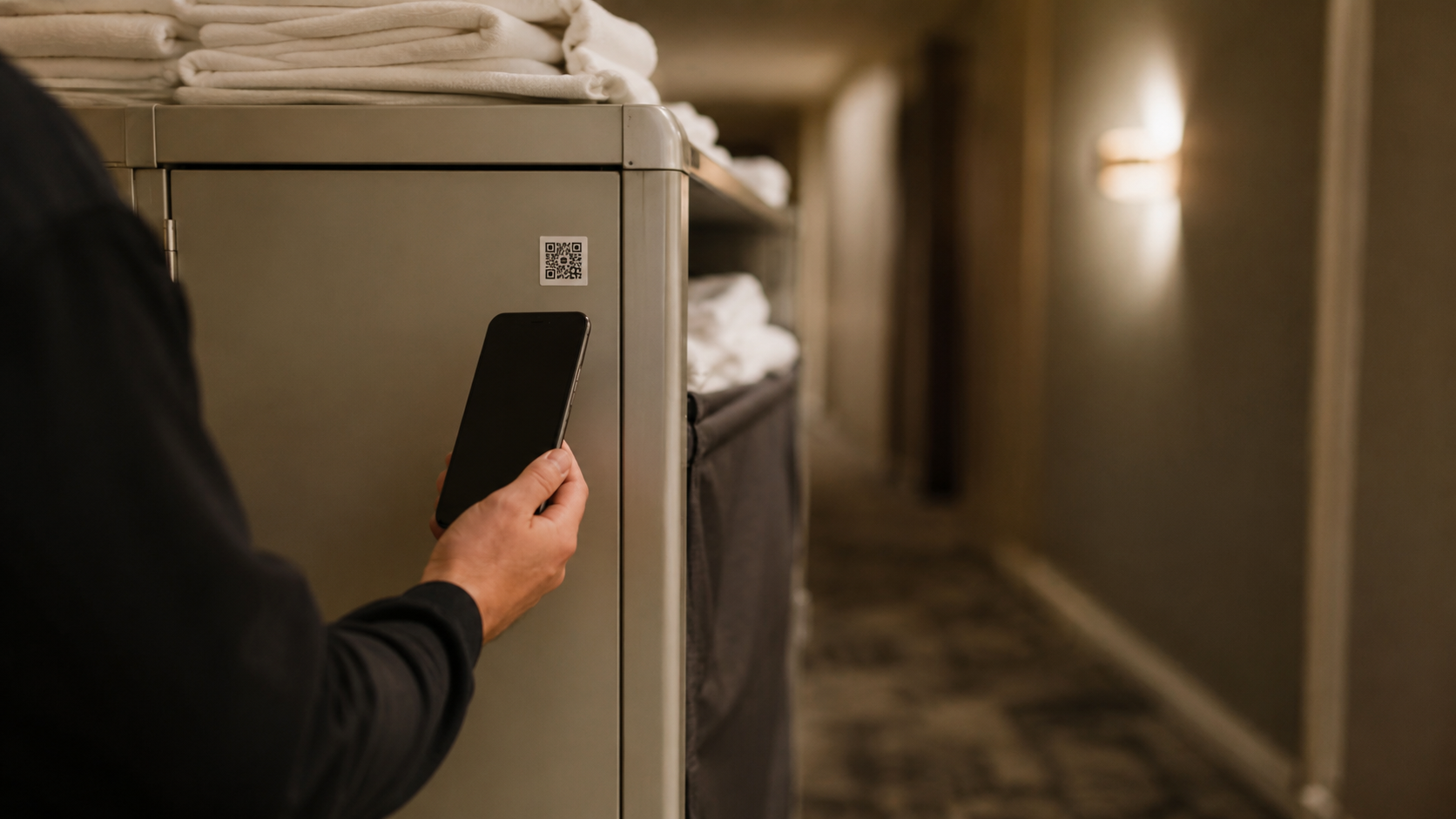
A hand scanning a QR sticker on a hotel housekeeping linen cart in a softly-lit corridor.
A guest reports a leaking espresso machine. The engineer scans the sticker, fixes it, attaches a photo, marks it done. Front office sees it close.
Why hotels need Knurl

Front desk, engineering, the night shift — and the WhatsApp.

A hotel’s maintenance program runs in three places that don’t talk to each other: the property management system at the front desk, a private group chat with engineering, and someone’s Excel sheet. Three days later, was Room 318’s hot water actually fixed? Nobody can say.

Before · Group chat
“Is it fixed yet?”
Linda · GM · 9:14
Espresso group-head leaking again 🤦
Marco · Eng. · 9:17
Is this the same one from Tuesday?
Linda · GM · 9:18
I think so? Photo??
Sam · Night tech · 9:42
fixed
Linda · GM · 10:03
Did you replace the gasket?
Linda · GM · 11:20
Sam?
No timestamp. No photo. No record. Three days later — was this even fixed?
After · Knurl
“Fixed. Photo attached.”
Who, when, what. Searchable on Friday. Defensible at the next inspection.
Knurl · for hotels
One queue. One source of truth. Every fix has a guest-facing answer attached.
What changes for you

Four things that should be free for a hotel maintenance manager.

Every guest report becomes a work order.

Engineering opens it on the app, fixes it, snaps the photo. The front desk and the GM can answer “any update on 318?” without messaging anyone.

Photo required before “done”

The night shift is on its own — and it’s fine.

Sub-basement, freezer aisle, parking garage. The phone app keeps everything locally and syncs the moment it gets a bar back. No work lost, no edits overwritten.

Fully offline · auto-sync

Add the seasonal crew without a procurement call.

Banquet season, summer pool staff, the contractor who fixes the kitchen hood every spring — invite them all. No per-user fee. Audit trail is unchanged.

Starter capped at 10 · Pro & Enterprise unlimited

A 100-room hotel takes an afternoon to set up.

Print stickers. Walk the floors. Stick them on guest-room ACs, the kitchen hood, the boiler, the elevators, the back-of-house freezer. Done before service.

Zero hardware beyond the sticker
Sizing

Which tier is your hotel?

Pricing is by asset count, not room count — but the two correlate. Rough sizing for a typical hotel maintenance program.

Under 75 rooms · family / boutique
~30–80 assets
Team
Public guest QR reporting on every door, preventive schedules on critical mechanicals, parts inventory, unlimited users for night/day shift + GM.
75 – 200 rooms · full-service
~80–300 assets
Operations
Vendor directory (HVAC contractor, kitchen-hood vendor, elevator service), purchase orders, approval workflows for high-cost repairs, SLA timers on guest-impacting work, advanced reports. Where most independent hotels land.
200+ rooms · multi-property
300+ assets · multi-site
Portfolio
Multi-facility switcher, roll-up reporting across the group, site benchmarking, cross-site PM templates. SSO + custom ERP at the Enterprise tier above.
All tiers: 14-day trial · no card · no setup fee· Exact prices on the pricing section of the home page
See full pricing
FAQ · hotels

What hotel maintenance managers ask first.

We don't ship named-vendor connectors out of the box — every property's PMS setup is different and we'd rather build yours properly than fake support. The REST API + HMAC-signed webhooks land on Operations and above; you can wire your PMS to Knurl yourself. On Enterprise, custom integration to your PMS is scoped and built during onboarding.
Yes — through the dashboard. Engineering closes the work order with a photo; the front desk view shows the room is fixed, by whom, when. Status in the PMS still needs a flip in the PMS — Knurl writes the proof, not the room status.
Same path as engineering. Anyone scanning the room's QR sticker with the app can raise an issue; managers triage it from the dashboard and assign it to the right team.
The technician's view is intentionally minimal: today's assigned work, sorted by priority, with a Done button. Nothing to configure, no dashboards to manage. The complexity lives on the manager's web app.
Add the vendor on Operations or above (vendor directory) and attach them to the kitchen-hood asset. When something fails, the work order carries the right contact. Vendor invoices attach to the order as photos for audit. Approval workflows can hold the WO until a manager green-lights spend above a threshold.
Start now

Get a grip on your maintenance.
Fourteen days. No card.

Set up a facility, import your asset list, print stickers, invite your team. Most teams are tracking real work orders the same day.

Start 14-day trialTalk to us
Scan to download
app.knurl.work